

Using the same email signature helps us show up strong as one Republic Services team. It keeps our messages clear, friendly and professional for our customers.
Most teams now use our new email signature platform. We need your help to keep that look in replies and forwards, too.
Adding a signature to replies and forwards is your choice. If you add one, please use the Exclaimer email signature platform. This keeps your emails clear, consistent and on brand and helps us show up as one team instead of using an old Outlook signature.
See the steps below to remove your old signature and turn on the new one for replies and forwards.
How To Remove Your Old Signature from Outlook
Within Outlook:
- Click the gear icon to open Settings
- Select Signature
- Locate the dropdowns for:
- Default for new messages
- Default for replies and forwards
- Set both to “No signature”
- Review your signature list and delete or save any old signatures
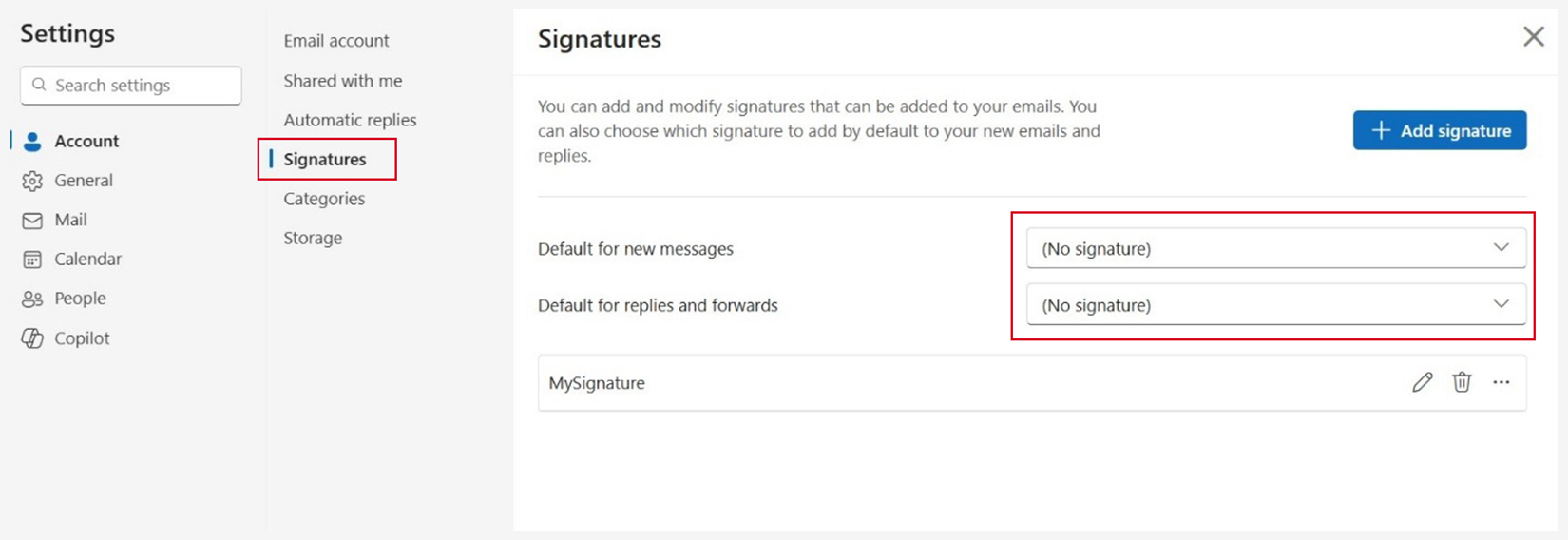
This step will stop the flicker some of you have seen on new emails. The old signature shows up for a moment before our new enterprise signature appears. This update removes that issue and keeps your messages clean and clear.
If you use Outlook on more than one device, please complete this step on each one. You only need to do this once unless Outlook is reinstalled.
Optional: How To Setup Our New Email Signature for Replies & Forwards
By default, our enterprise signature shows only in new emails. After you remove your old manual signatures using the steps above follow the steps below to add the new signature to your replies and forwards.
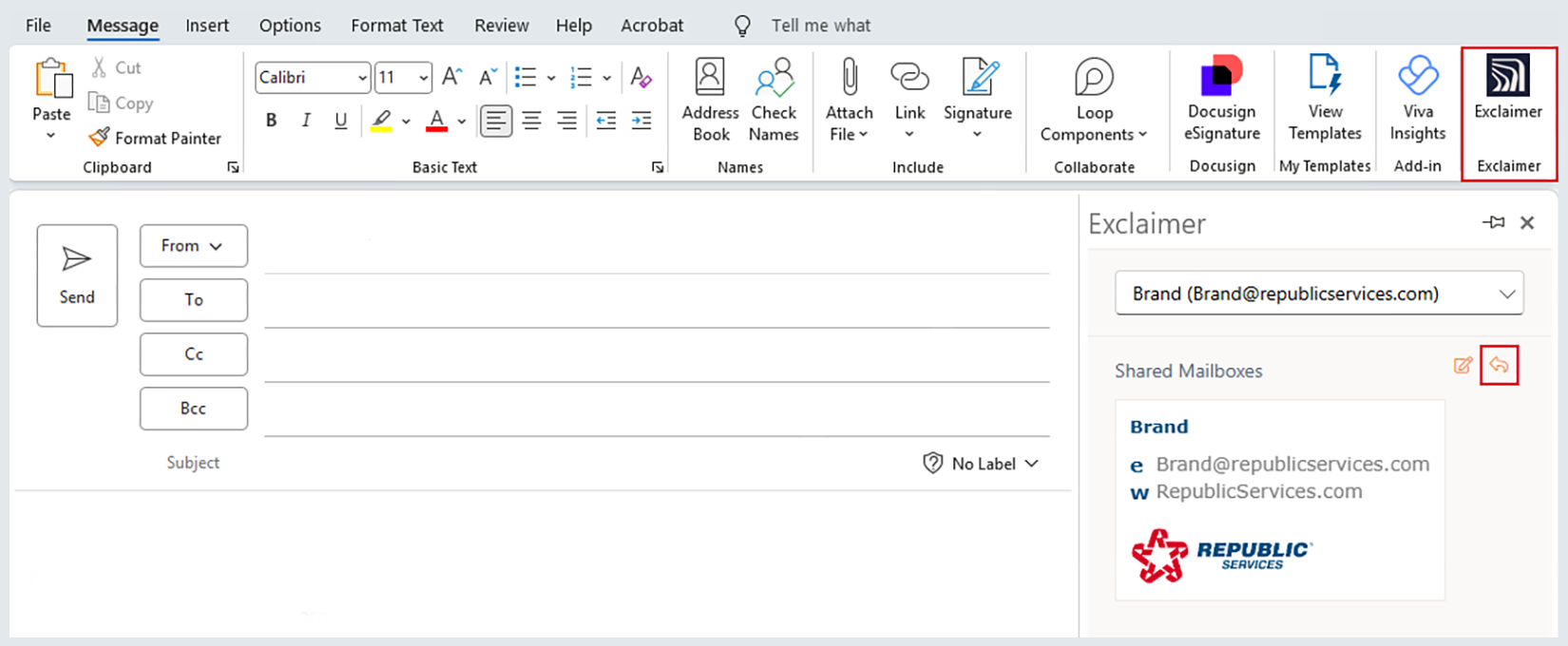
In the Exclaimer Add‑in:
- Locate the message assignment icons
- Click the arrow icon for replies/forwards
- Select your preferred signature to set it as default
Using the Exclaimer Add‑in ensures proper formatting and prevents signature conflicts.
Need Help?
You don’t need to submit an IT Help Desk ticket for signature-related questions. Instead:
- Reference the user guides for personal email and shared mailbox
- See our email signature FAQs as well as our helpful tips and best practices
- Email the Brand Inbox
A professional email signature helps us show up our best for customers. It builds trust and shows we care about doing things the right way. Thank you for taking these simple steps to keep your signature consistent on brand and aligned with our values.