
Sign up for upcoming training sessions, starting this week, to discover how Copilot can transform your day-to-day in unexpected ways.
Try This: Copilot Chat Tip #1
Challenge: Stuck on how to start an email?
Solution: Just tell Copilot what you’re trying to do and get instant draft ideas.
Try this Prompt: “I need to write a message to my team about an upcoming change but I’m not sure how to start. The change is [X].”
How to Access Copilot Chat
You can get to Copilot Chat using any of these methods:
| Desktop Application | Web Browser | Microsoft Teams |
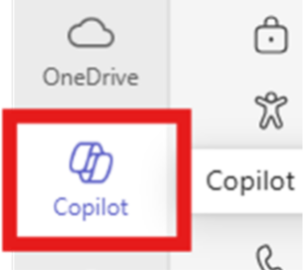
| Click on the Start menu, and search for Copilot. Select the Microsoft 365 Copilot app | Go to https://m365.cloud.microsoft/chat | Copilot is pinned at the top of the Chat tab, or available in your left-hand navigation bar |
 |
 |
 |
Register for Training
Register for each Copilot Chat training session at the time that’s most convenient for you.
Sign up for Copilot Chat trainings here!
Responsible AI is Everyone’s Responsibility
Review and validate all AI outputs. AI Tools are support tools, not a replacement for your expertise or judgment. AI is never a substitute for approved forms, company documents, or required processes.
Always refer to the Acceptable Use of AI Policy and Procedure.
Important Note: To maintain company data security and promote responsible use of AI, access to the below unapproved AI tools will be blocked on April 27.
| Anthropic Claude | DeepAI | Grammarly | Otter.ai | ReadAI |
| Chatbase | Google Gemini | Krisp | Perplexity AI | Speechify |
| ChatGPT | Google NotebookLM | Medchat | PopAi Workspace | Writesonic |
| Cursor | Grain AI | OpenAI | Quillbot |
Questions?
Feel free to reach out to M365Copilot@RepublicServices.com with questions or concerns.